
App
ChachaBet gives players a smooth way to enjoy betting and gaming on both Android and iOS devices. The platform provides easy access, allowing users to move between sports and games without delays.
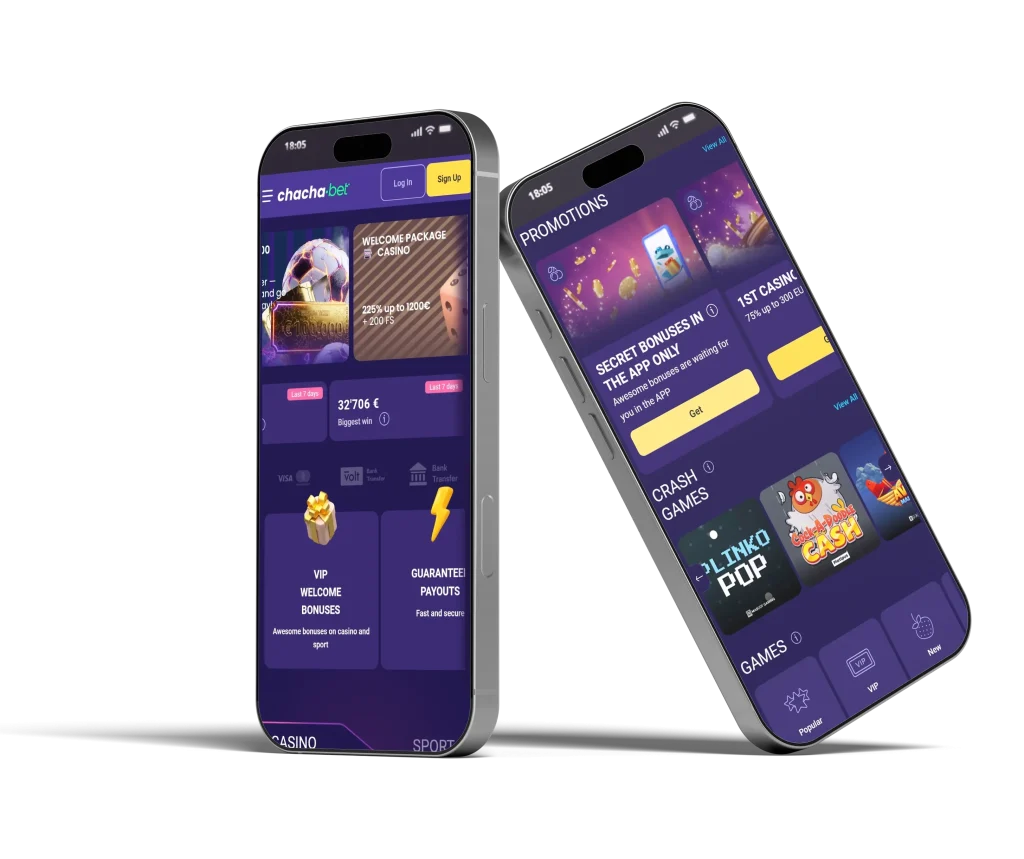







Everything runs in a stable environment, making it simple to place bets, explore options, and follow events in real time. Whether at home or on the move, players can stay connected and enjoy consistent performance. The experience remains reliable across devices, helping users focus on gameplay.
How to Install the ChachaBet App?
Installing ChachaBet is quick and simple on both Android and iOS devices, allowing easy access to betting and gaming anytime.
Android
Install ChachaBet quickly on Android with a simple process that takes only a few moments.
Step 1: Visit the website and search for the “Install the App” option in the left-side menu bar.
Step 2: Select “Install” to start the setup process.
Step 3: Wait until installation completes on your device.
Step 4: Open the platform from your device menu.
Step 5: Log in or register to continue using services.
iOS
Access ChachaBet on iOS by saving it for quick, easy entry anytime.
Step 1: Open the page using the Safari browser.
Step 2: Tap the share icon from the menu.
Step 3: Select the “Add to Home Screen” option.
Step 4: Tap add to confirm the action.
Step 5: Open it from your home screen at any time.
ChachaBet Mobile Experience
ChachaBet adapts well to different screen sizes, ensuring that gameplay remains clear and easy to follow. Players can switch between sports betting and games without delays.
Loading times stay steady, helping users place bets or join games without waiting. The focus remains on clarity and ease of use, making it suitable for both new and experienced players seeking a simple, reliable way to play on mobile devices.
Account Access and Security
Accessing your account remains simple while maintaining strong security standards. Players can log in quickly using their registered details and manage their activity without complications.
The platform supports secure handling of personal information, ensuring that data remains protected during use. Account features allow users to review transactions, track betting history, and easily manage settings.
This approach helps maintain control over activity while keeping everything organised. The system is designed to support safe usage, allowing players to focus on betting and gaming with confidence and clarity.
Payments and Transactions on Mobile
ChachaBet supports smooth transactions on mobile devices, allowing players to manage deposits and withdrawals. Payment options are designed to work efficiently, helping users complete transactions within expected timeframes.
Players can select suitable methods based on their preference and continue gameplay. The process remains clear, with defined steps that make handling funds simple.
This ensures that users can easily move between betting and transactions, maintaining a consistent experience while managing their balance directly on their device.
Frequently Asked Questions
Can I access ChachaBet on both Android and iOS devices?
ChachaBet can be accessed on both Android and iOS devices, allowing players to enjoy betting and gaming across different platforms with consistent performance.
Is installation on Android simple?
Installation on Android follows a few clear steps, allowing users to download, install, and start using the platform without delays or complex setup.
How do I use ChachaBet on iOS?
Using ChachaBet on iOS involves saving access through Safari, enabling quick entry and smooth performance directly from your device’s home screen.
Are transactions available on mobile devices?
Players can manage deposits and withdrawals on mobile devices using supported payment methods through a clear, simple process.
Does the platform run smoothly on mobile?
The platform is designed to deliver stable performance, enabling users to access games and betting options without interruptions during regular use.